Close
Integration

Keep Close. Upgrade the calling.

PhoneBurner monitors your numbers and helps more calls get answered, all while Close stays your system of record. No new tool for reps to learn, no data to migrate, nothing to change but the calling.

Check icon
Dial from inside Close
Over 3,000 customers
Check icon
60-80 contacts per hour
Delay-Free Connections
Check icon
Zero manual logging
Dial up to 4x faster
Start Free Trial

Take your Close calling further

Close gets calls out. PhoneBurner gets them answered.

PhoneBurner Chrome extension + add-ons
★ Recommended
Close's native dialer Power & Predictive Dialer
Number reputation monitoring Available
ARMOR® add-on
Not offered
Spam/scam-likely remediation Available
ARMOR® add-on
Not offered
Answer-rate intelligence Available
Connect Scores add-on
Not offered
Delay-free connections Predictive Dialer only, Scale plan
1-click voicemail Growth plan and up
Dialing type Automatic power dialing Power Dialer, plus Predictive on Scale plan
Monthly minute cap No caps, unlimited dialing Pay-per-minute, billed by usage
Live call coaching Professional plan and up Scale plan only
Automatic call logging
Stays inside Close

Every call covered. From dial to disposition.

Connect without delay, keep track of every dial in real time, and let PhoneBurner handle what happens after you hang up.

Power dialing

PhoneBurner dials. Your rep just talks.

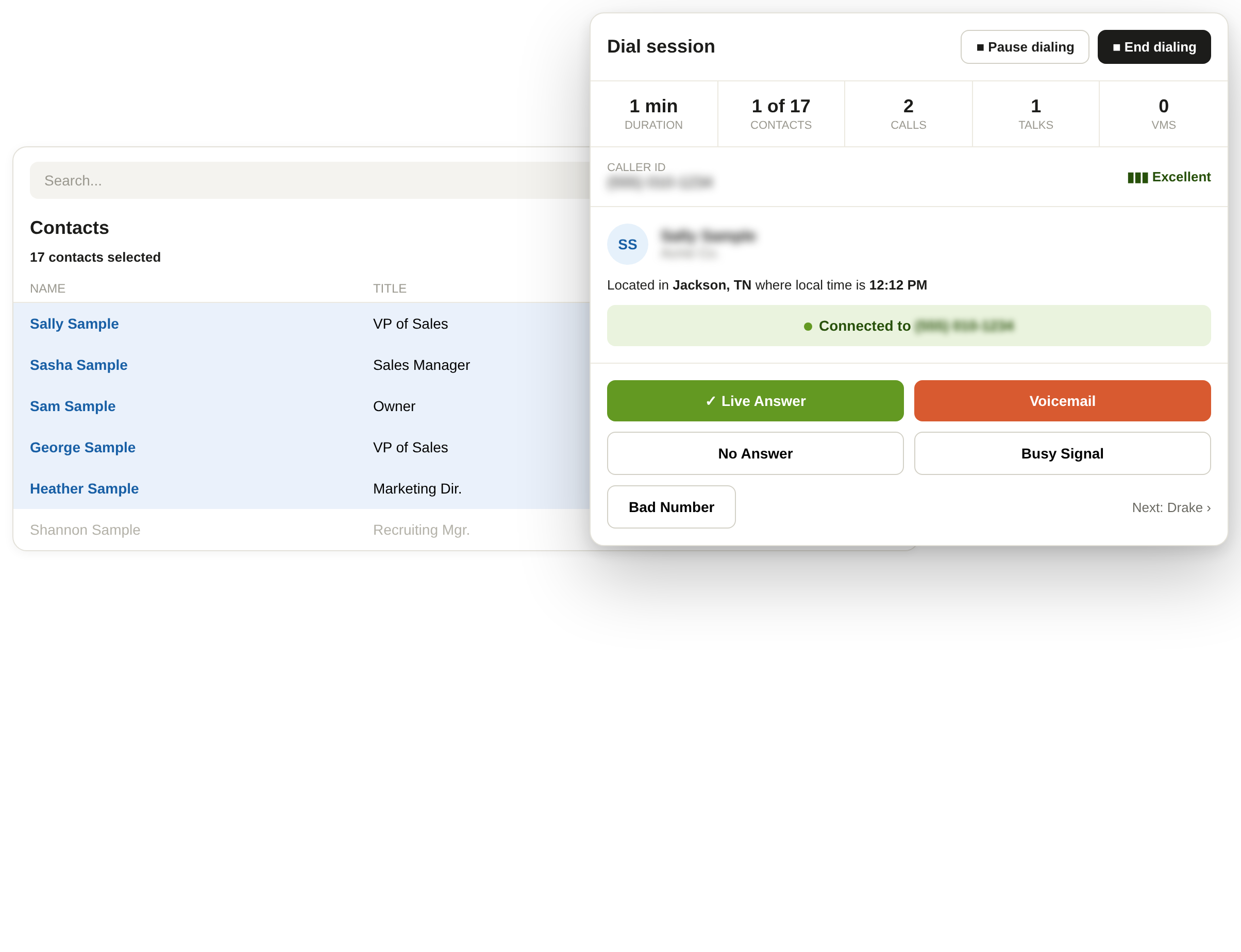
PhoneBurner dials through your Close contacts automatically, one after another, so reps never waste time on busy signals, voicemail, or no-answers. And when someone does pick up, there's no lag. Your rep is already on the line, talking, not waiting for the call to connect.
Check icon
Dial from any Close contact or lead view
Check icon
No lag when someone answers, the connection is instant
Check icon
PhoneBurner moves to the next contact automatically when there's no answer
Check icon
Unlimited dialing with no monthly minute caps
Tracking

Your session, running alongside you.

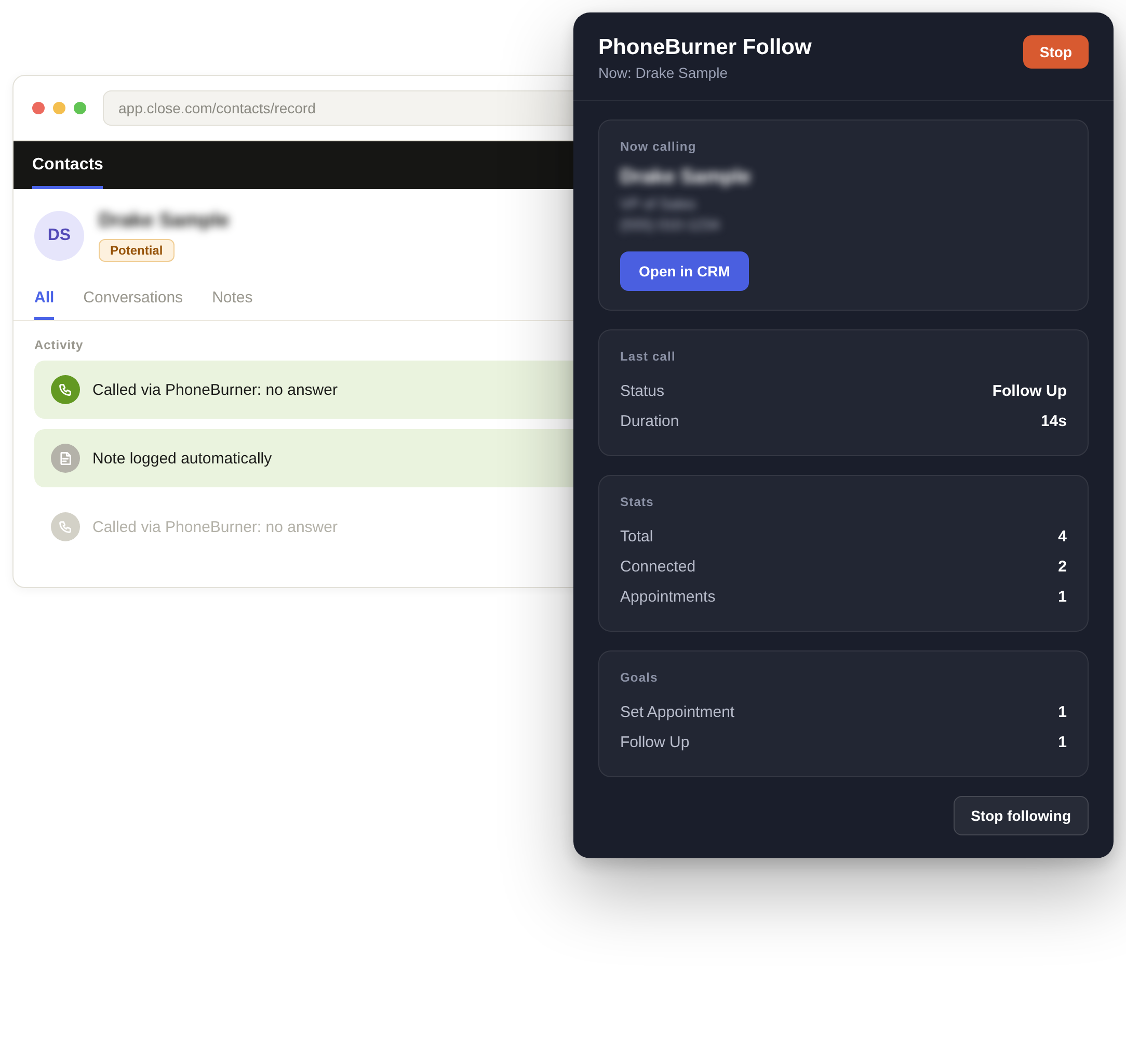
While you dial, the PhoneBurner widget runs alongside Close. It shows you who you're calling, how your last call went, and a live count of your dials, connections, and appointments. Set a goal at the start of your session and track it in real time as you work through your list.

Check icon
See who's up next without losing your place in Close
Check icon
Track dials, connections, and appointments as they happen
Check icon
Set session goals and monitor progress in real time
Check icon
Open any contact directly in Close with one click

Logging

Set a disposition. PhoneBurner handles the rest.

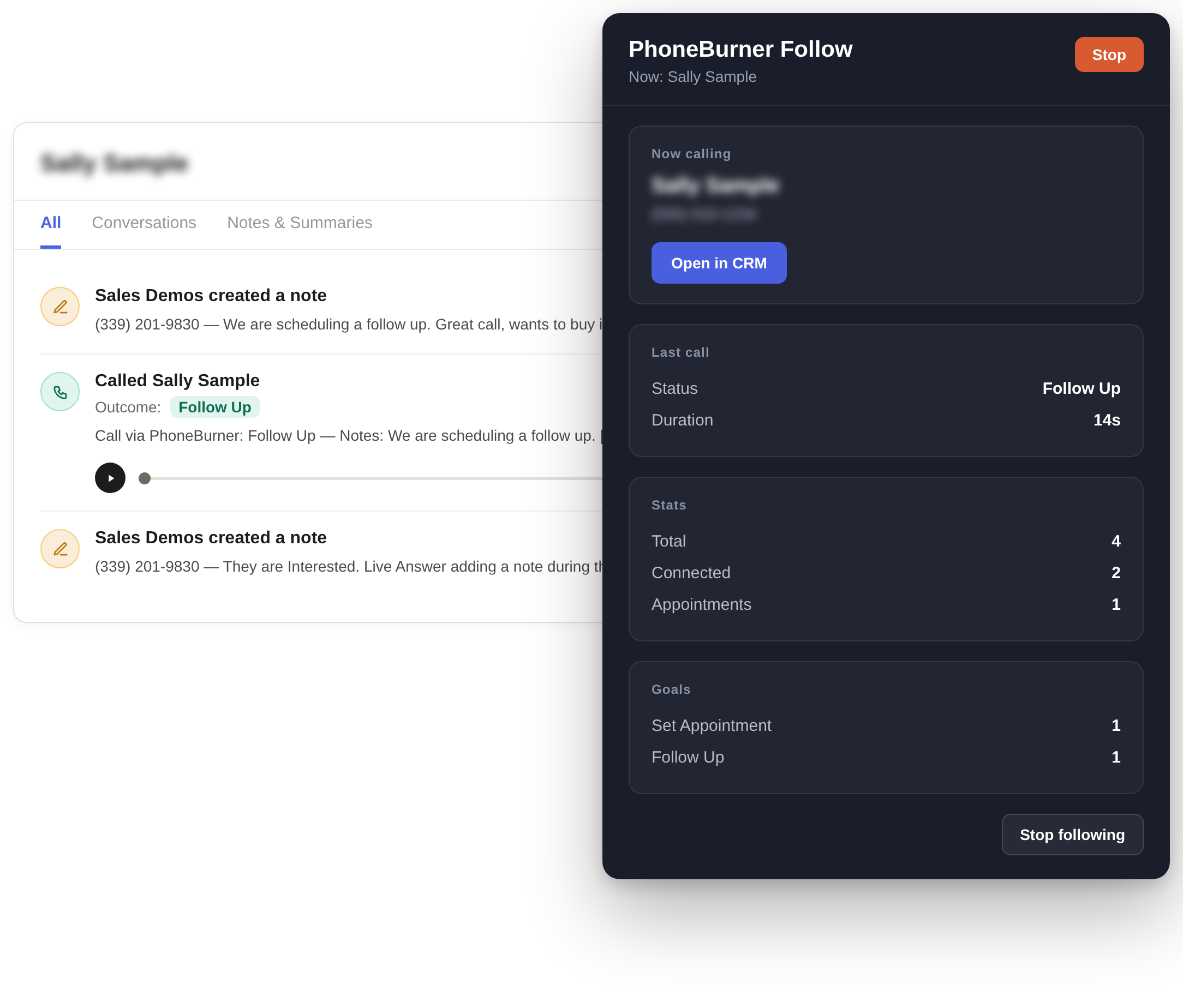
Leave a voicemail and send a follow-up email in one click, then PhoneBurner logs the outcome, notes, and recording to the right Close record automatically. No exports, no copy-pasting, nothing for your reps to remember to do after they hang up.
Check icon
Call outcomes, notes, and dispositions logged to Close automatically
Check icon
Leave a voicemail and send a follow-up email in one click
Check icon
Call recordings saved directly to Close contact records
Check icon
No exports, no copy-pasting, no manual data entry

Rave Reviews

“Game changing. Increased outbound volume while increasing connection rates.”

Rick Cotton headshot
Rick Cotton, Homely

“The amount of time I have saved from dialing is unbelievable.”

Jeff Hamond headshot
Jeff Hammond

“5 appointments were set in just 1 hour using PhoneBurner.”

Zac Twardowski
Zac Twardowski

PhoneBurner features for Close

Dial set icon
Unlimited dialing
No paying for minutes, just dial
Trending up icon
Superior answer rates
Join 1000s of customers with double-digit answer rates
Hear “hello”
Connect without any off-putting pause or delay
Voicemail icon
1-click voicemails
Save 30-60 seconds every time you reach voicemail
Check icon
Instant emails & SMS
Send personalized 1-click emails and SMS based on the outcome of any call
ARMOR icon
Spam protection
Have PhoneBurner monitor and remediate false flags on your behalf
Team icon
Live call coaching
Record calls or coach reps live with Listen In, Whisper, and Barge
Insights icon
Reports & analytics
Make numbers your north star with cutting-edge reporting
Person talking icon
Award-winning support
Get world-class onboarding and support from day 1

Setup is straightforward.

Get it up and running with support from our onboarding team.

Step-by-step
Create your account
Start a free trial. No credit card required.
Install the Chrome extension
Add the free PhoneBurner Dial Session Companion from the Chrome Web Store. This is what puts PhoneBurner inside Close.
Connect PhoneBurner and Close
Generate a Personal Access Token in PhoneBurner's integration settings and enter it in the extension. Then authorize the Close connection to complete setup.
Start dialing
Select leads or contacts in Close and launch your first session.
What you need
PhoneBurner
Power dialer + activity logger
Close
Your CRM — contacts and records stay here
Chrome Extension
Free to install from Chrome Web Store

Helpful Resources

No items found.

No items found.

Dial smarter and grow revenue.

Start Free Trial